Tuesday, August 23, 2011


Thursday, April 28, 2011
Get iso support in Brasero disc burner
I felt sometimes that brasero disc burner is behaving odd......its doesnt support the iso format so i was unable to copy disc images in iso format....i fixed this issue by installing a package it can be installed by issuing the below command
command:
apt-get install brasero-cdrkit
Sunday, April 24, 2011
How to connect two linux machines via ethernet cable
Assume :
On Computer B:
Now on Computer A you should be able to ping Computer B:
ping 192.168.0.2
and must be able to do viceversa........ :)
- Computer A has ip address 192.168.0.1
- Computer B has ip address 192.168.0.2
/sbin/ifconfig eth0 192.168.0.1 netmask 255.255.255.0 up
/sbin/route add -host 192.168.0.2 eth0
On Computer B:
/sbin/ifconfig eth0 192.168.0.2 netmask 255.255.255.0 up
/sbin/route add -host 192.168.0.1 eth0
Now on Computer A you should be able to ping Computer B:
ping 192.168.0.2
and must be able to do viceversa........ :)
Enabling Compiz Fusion in Debian Squeeze and Solving the Move window problem after enabling
To enable compiz fusion in Debian Squeeze i followed the method illustrated in How to Forge site...
Link : http://www.howtoforge.com/enabling-compiz-fusion-on-a-debian-squeeze-desktop-nvidia-geforce-8200
But after doing this my title bars dissappeared and i couldnt drang windows by clicking on the titlebar..
To fix this issue got compiz settings manager "Window Decoration " in "Effects" Section and also enable "Move Window" option in "Window Management"
Saturday, April 16, 2011
How to get tab completion in bash if its not working by default
In Debian Squeeze bash doesn't support tab completion in terminal by default...this can be accomplished by a small hack...first we need to edit a file..
vim /etc/bash.bashrc
By deafult these lines will be commented uncomment them by removing the #
# enable bash completion in interactive shells
#if [ -f /etc/bash_completion ]; then
# . /etc/bash_completion
#fi
Save the file after done withyour editing do a restart...now the bash support tab completion.........
Friday, December 10, 2010
How to audio ,video and flash plugins in open suse via command line

the package manager in open suse is a crappy one so always prefer the command line way to install all the codecs else it will eat up all your bandwidth here instead of apt-get install in ubuntu we use zypper install
zypper addrepo -f http://ftp.gwdg.de/pub/linux/packman/suse/11.3 packman
zypper addrepo -f http://opensuse-guide.org/repo/11.3 dvd
zypper install libxine1-codecs k3b-codecs ffmpeg lame libdvdcss w32codec-all
zypper install flash-player
Sunday, September 26, 2010
How to get sudo privilage in debian lenny
Normally in debian lenny we can use only su to become the root ifwe nee to use the sudo power then we have to edit the /etc/sudoers file
first become root by using su
ganesh@debian:~$ su
Password:
debian:/home/ganesh# visudo
Now add the username to the list..
ganesh ALL=(ALL) ALL
am attaching the scrrenshots


first become root by using su
ganesh@debian:~$ su
Password:
debian:/home/ganesh# visudo
Now add the username to the list..
ganesh ALL=(ALL) ALL
am attaching the scrrenshots


Tuesday, September 21, 2010
How to make your own custom dist or custom ubuntu
I made a custom ubuntu distribution(ubuntu 10.04) with all these packages for electronics and electrical students with all these packages installed in it....
http://www.geekconnection.org/remastersys/
Its is simple for beginners to use the gui and for experienced users can use thecommand line you can akso take the backup including the userdata by using remastersys


Remastersys can be found in synaptic after adding this line in /etc/apt/sources.lst
# Remastersys
deb http://www.geekconnection.org/remastersys/repository karmic/
- texmaker
kile
lyx
scipy
numpy
sympy
gap
maxima
gnuplot
xfig
dr.geo
scilab
ocatve
qtoctave
Rkwrd(gnu r)
emacs
labplot
electric-electrical cad
gnusim8085
gpsim
gresistor
gwave
kicad
ktechlab
qucs
piklab
avrdude
simulavr
ngspice
geany
grass
splat
bluefish editor
emu8051
eric
geda-gschem
gperiodic
Sagemath
Geogebra
http://www.geekconnection.org/remastersys/
Its is simple for beginners to use the gui and for experienced users can use thecommand line you can akso take the backup including the userdata by using remastersys


Remastersys can be found in synaptic after adding this line in /etc/apt/sources.lst
# Remastersys
deb http://www.geekconnection.org/remastersys/repository karmic/
Monday, September 6, 2010
How to fix apache the problem i faced!!!!!!!!
While trying ti install moinmoin a python based wiki engine i faced a weird problem with apache server after installtion when i tried to restart apaches it displayed a n error like this.....
* Restarting web server apache2 apache2: Could not reliably determine the server's fully qualified domain name, using 127.0.1.1 for ServerName
... waiting ..apache2: Could not reliably determine the server's fully qualified domain name, using 127.0.1.1 for ServerName
This is how i solved the problem.....
ganesh@linux:~$ sudo kate /etc/apache2/httpd.conf
am now using kubuntu so i used kate as text editor instead of kate u can use gedit,vi etc
By default httpd.conf file will be blank. Now, simply add the following line to the file.
ServerName localhost
Save and exit the text editor
Now restart the apache using the command
sudo /etc/init.d/apache2 restart
my screenshots are given below discard the errors shown while opening the file with kate k....


Happy Hacking.............
Saturday, August 28, 2010
How to get Desktop zoom in ubuntu similar to Mac
Get compiz fusion installed in your system...Enable Enhanced Desktop zoom effect...chenage hotkeys according to your like i configured so that ctrl+mousebutton1 gives zoom in and shft+mousebutton1 gives me zoom out......

Select compiz settings manager and enable enhanced desktop zoom
 select the hotkeys

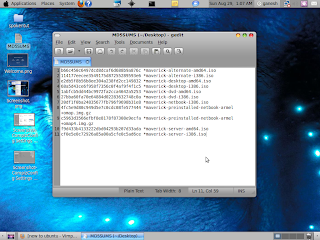 The above picture shows desktop before zooming.....

This is after zooming....
Enjoy....Happy Hacking....

Select compiz settings manager and enable enhanced desktop zoom


This is after zooming....
Enjoy....Happy Hacking....
Saturday, August 21, 2010
Show the List of Installed Packages on Ubuntu or Debian
The command dpkg –get-selections will list all the installed packages in ubuntu/Debian system...


Sunday, August 1, 2010
Mobile Media Convereter in Linux...
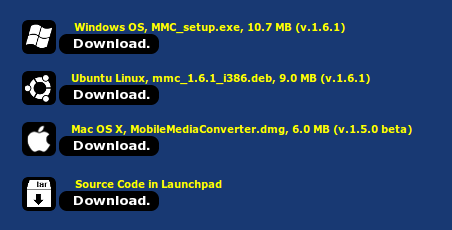
Two days gao for my friend i was in search on a mobile media converter in which we can adjust the audio and video bit rates....After tiring search i found a mobile media coneverter...and after my experience its a superb one with all features even i can convert to mp3,mp4,wav,3gp,ipod etc.....Happy Hacking all....
The link to the site is given below....
http://www.miksoft.net/mobileMediaConverterDown.htm


The link to the site is given below....
http://www.miksoft.net/mobileMediaConverterDown.htm


Monday, May 24, 2010
How to install ruby on Ubuntu 10.04

command: sudo apt-get install ruby-full open up a shell and typeirband hit enter
then u will geta prompt like thisirb(main):001:0> first program in ruby Hello world in ruby: irb(main):001:0> "Hello World" => "Hello World"
Friday, April 23, 2010
How to add new icon sets to ubuntu
Here i will tell you how to add new icons to ubuntu in an easy way...
you can download the icon files from ubuntu artwork site or gnome-look.org and going to ubuntu icons tab.....or by going to the below link directly....
http://ubuntu-art.org/index.php?xcontentmode=8125
extract the downloaded folder...Then go to your home folder then press ctrl+H simultaneously....then you can see some hidden folders...search for .icons folder and paste the extracted icons folder here....
Then go to your desktop>rightclick>select change desktop background
Then select themes tab...select customize from lower right corner near install and in the new window opened select the folder from icons tab...

Friday, April 16, 2010
Enable Facebook chat in pidgin

To use facebook chat in pidgin enter the followig commands
1.sudo apt-get install pidgin-facebookchat
2.wget http://pidgin-facebookchat.googlecode.com/files/pidgin-facebookchat-1.38.deb
Now you should have pidgin-facebookchat-1.38.deb package.Install this .deb package using the following command
3.sudo dpkg -i pidgin-facebookchat-1.38.deb
This will complete the installation.After installation you need to restart Pidgin! You will then have a FacebookChat option in your accounts manager dialog.
screenshot of terminal is added

Monday, April 12, 2010
Configuring twitter in Ubuntu

This will help you to configure twitter in ubuntu....
open termnal....
type this command
sudo apt-get install pidgin-mbpurple
this is a plugin to use twitter in pidgin.....
After instalation select add account then in the protocol select Twitter IM there is also an old twitter im dont select that...
then type the account details.....
use it.....
To see the replies, send the command /replies
To look for new tweets (although it auto-refreshes), send the command /refresh
for othr IM's you can use /buzz for making a buzz
Sunday, April 11, 2010
How to open .PSD extension file in Ubuntu Linux
Today one of my colleague during work tried to open a psd extension file in ubuntu.PSDis a photoshop document when i googled for the abbrevation.Like all i too thought it should open in GIMP but GIMP didnt recognize it...then we tried for Inkscape that too didnt work ....
Then just for a test tried open office presentation and bang it worked...
to open a .psd file is easy in open office...
go to insert>picture>from file....
then select the .psd file it will load...
Hapy Hacking.....
Then just for a test tried open office presentation and bang it worked...
to open a .psd file is easy in open office...
go to insert>picture>from file....
then select the .psd file it will load...
Hapy Hacking.....
Sunday, April 4, 2010
Media change: please insert the disc labeled ‘Ubuntu 9.10 _Karmic Koala_ – Release i386 (20091028.5)’ in the drive ‘/cdrom/’ and press enter--The weird problem in ubuntu
When almost all the packages are downloaded, i saw the following lines from the terminal

Media change: please insert the disc labeled
‘Ubuntu 9.10 _Karmic Koala_ – Release i386 (20091028.5)’
in the drive ‘/cdrom/’ and press enter
‘Ubuntu 9.10 _Karmic Koala_ – Release i386 (20091028.5)’
in the drive ‘/cdrom/’ and press enter
the solution is..................
fire the terminal type the following commands in screenshot...

sources.list file looks as follows , comment the cdrom line in sources.list file
# deb cdrom:[Ubuntu 9.10 _Karmic Koala_ - Release i386 (20091028.2)]/ karmic main restricted
# See http://help.ubuntu.com/community/UpgradeNotes for how to upgrade to
# newer versions of the distribution.
# See http://help.ubuntu.com/community/UpgradeNotes for how to upgrade to
# newer versions of the distribution.
#deb cdrom:[Ubuntu 9.10 _Karmic Koala_ - Release i386 (20091028.5)]/ karmic main restricted #commented line
deb http://in.archive.ubuntu.com/ubuntu/ karmic main restricted
deb-src http://in.archive.ubuntu.com/ubuntu/ karmic main restricted
deb http://in.archive.ubuntu.com/ubuntu/ karmic main restricted
deb-src http://in.archive.ubuntu.com/ubuntu/ karmic main restricted
## Major bug fix updates produced after the final release of the
## distribution.
deb http://in.archive.ubuntu.com/ubuntu/ karmic-updates main restricted
deb-src http://in.archive.ubuntu.com/ubuntu/ karmic-updates main restricted
## distribution.
deb http://in.archive.ubuntu.com/ubuntu/ karmic-updates main restricted
deb-src http://in.archive.ubuntu.com/ubuntu/ karmic-updates main restricted
…………………………………………………………………….
……………………………………………………………………
……………………………………………………………………
save & close the file
apt-get update.
this is the solution to this weird problem.............
this is the solution to this weird problem.............
Tuesday, March 23, 2010
Edit Grub in karmic
To edit grub in ubuntu 9.10 or karmic
Open terminal
Open terminal
$ sudo apt-get install grub2
$ sudo upgrade-from-grub-legacy
$sudo chmod 777 /boot/grub/grub.cfg
$sudo gedit /boot/grub/grub.cfg
by doing this you can edit grub and delete the update entries that are added while updation
and you can restore only the main entries
Monday, March 22, 2010
Mp3splt-mp3 splitter in linux
Mp3Splt-project is a utility to split mp3 and ogg files selecting a begin and an end time position, without decoding. It's very useful to split large mp3/ogg to make smaller files or to split entire albums to obtain original tracks. If you want to split an album, you can select split points and filenames manually or you can get them automatically from CDDB (internet or a local file) or from .cue files. Supports also automatic silence split, that can be used also to adjust cddb/cue splitpoints. You can extract tracks from Mp3Wrap or AlbumWrap files in few seconds. For mp3 files, both ID3v1 & ID3v2 tags are supported. Mp3splt-project is split in 3 parts : libmp3splt, mp3splt and mp3splt-gtk.
This is a very useful software for us......

Download mp3splt from here......
http://mp3splt.sourceforge.net/mp3splt_page/home.php
This is a very useful software for us......

Download mp3splt from here......
http://mp3splt.sourceforge.net/mp3splt_page/home.php
Subscribe to:
Posts (Atom)